Instruction
Asuric Instruction Guide
GSAP Text Animation
- Open Site Settings → Custom Code → before </body> tag.
- Paste the code bellow:
<script src="https://cdnjs.cloudflare.com/ajax/libs/gsap/3.12.5/gsap.min.js"></script>

<script>
// Run after DOM loaded (Webflow compatible)
window.Webflow ||= [];
Webflow.push(function() {

  document.querySelectorAll(".split-text").forEach(link => {
    const is1 = link.querySelector(".is-1");
    const is2 = link.querySelector(".is-2");
    if (!is1 || !is2) return;

    link.style.position = "relative";
    link.style.overflow = "hidden";

    is1.style.display = "inline-block";
    is2.style.display = "inline-block";
    is2.style.position = "absolute";
    is2.style.top = "0";
    is2.style.left = "0";
    is2.style.width = "100%";

    function splitText(el) {
      const text = el.textContent;
      el.innerHTML = "";
      const chars = [];
      for (let i = 0; i < text.length; i++) {
        const span = document.createElement("span");
        span.textContent = text[i] === " " ? "\u00A0" : text[i];
        span.style.display = "inline-block";
        el.appendChild(span);
        chars.push(span);
      }
      return chars;
    }

    const chars1 = splitText(is1);
    const chars2 = splitText(is2);

    gsap.set(chars2, { yPercent: 100, opacity: 0 });

    link.addEventListener("mouseenter", () => {
      gsap.to(chars1, { yPercent: -100, opacity: 0, duration: 0.4, stagger: 0.03, ease: "power2.out" });
      gsap.to(chars2, { yPercent: 0, opacity: 1, duration: 0.4, stagger: 0.03, ease: "power2.out" });
    });

    link.addEventListener("mouseleave", () => {
      gsap.to(chars1, { yPercent: 0, opacity: 1, duration: 0.4, stagger: 0.03, ease: "power2.out" });
      gsap.to(chars2, { yPercent: 100, opacity: 0, duration: 0.4, stagger: 0.03, ease: "power2.out" });
    });
  });

});
</script>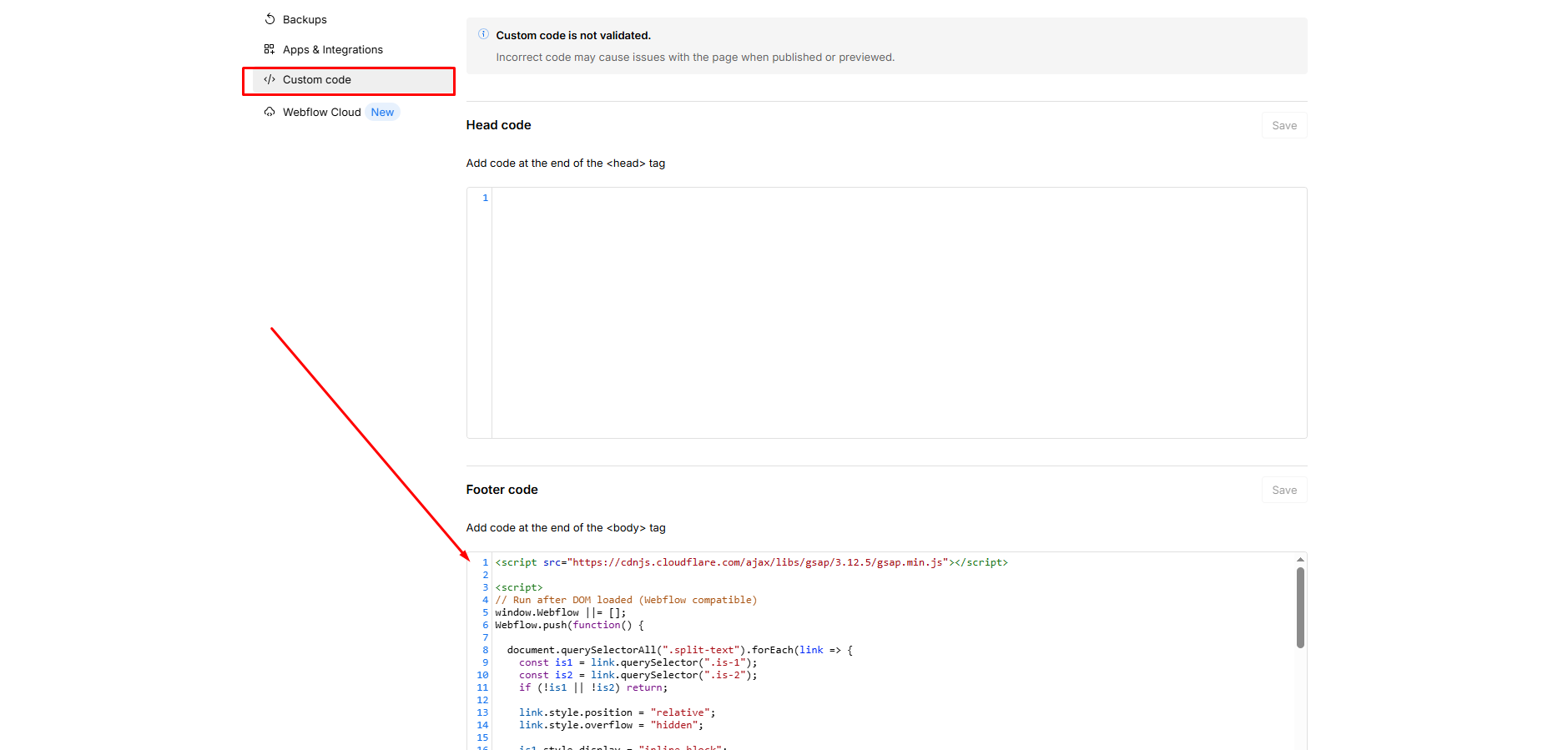
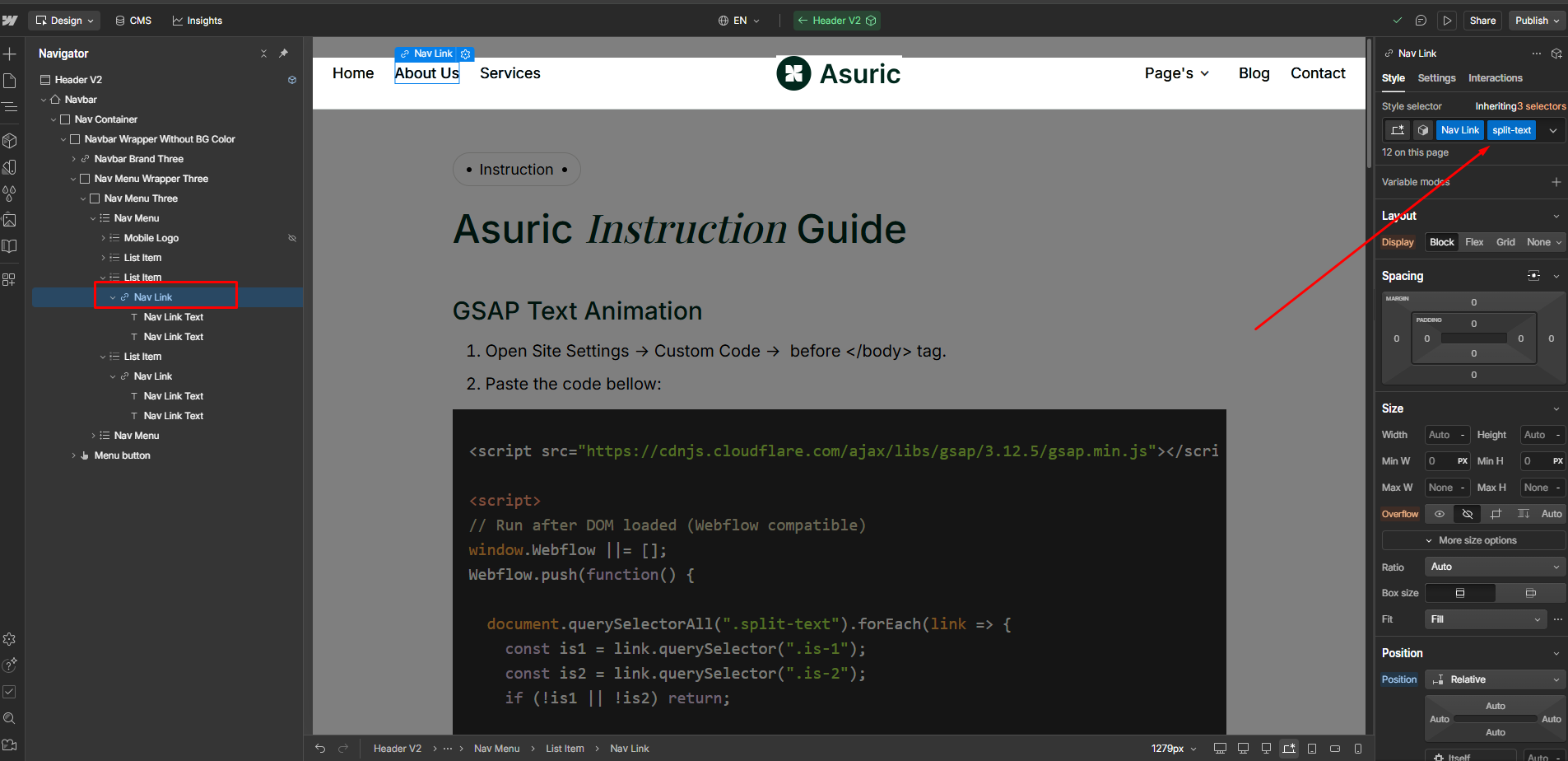
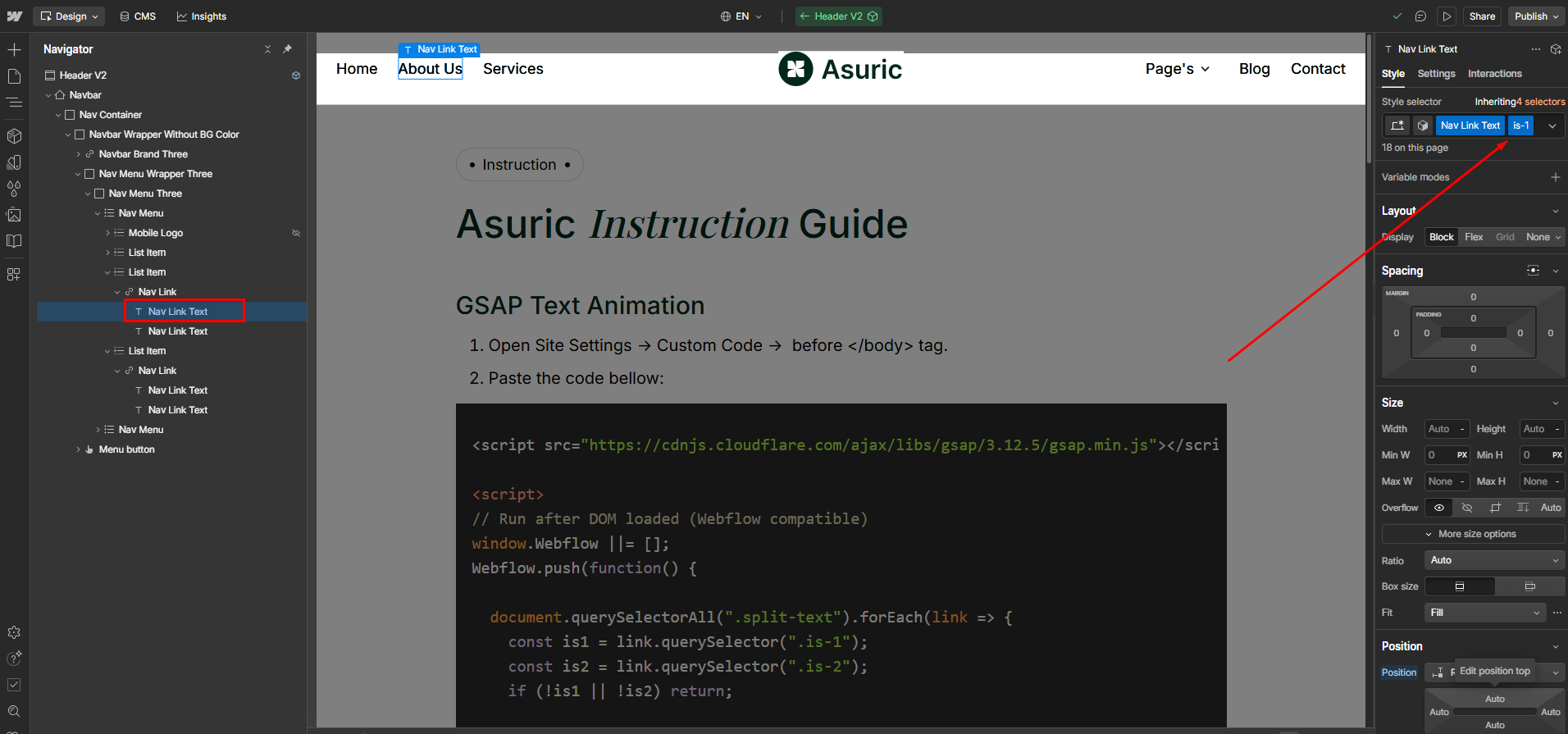
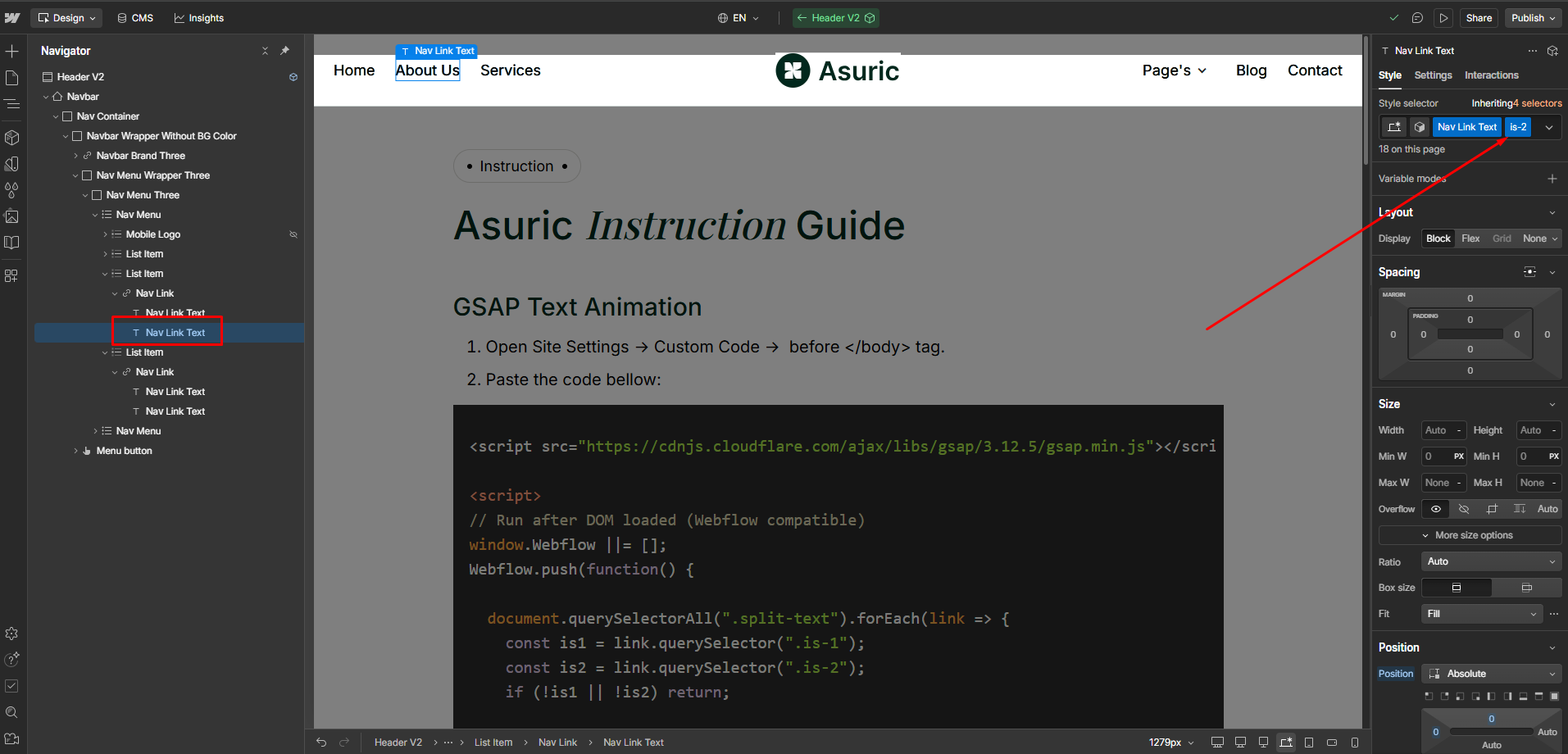
- Select any heading or nav link block that you want to animate.
- Add the parent div class name
.split-textand the child class names.is-1and.is-2to enable the animation.